Zoe Yu
 Sponsor logo version control for event tote bags helps buyers keep final artwork, sponsor hierarchy, placement, color references, sample approval and carton labels aligned before bulk production. For MOQ 500+ event tote projects with multiple sponsors or approval owners, the safest production brief is one version map, not a collection of email attachments.
Buyer Summary
- Best for: event managers, sponsor coordinators, agency producers, brand activation teams and B2B buyers planning event totes with more than one logo version.
- Main decision: lock final vector files, sponsor order, placement, print size, Pantone or color reference, approval owner and quantity by version before sampling.
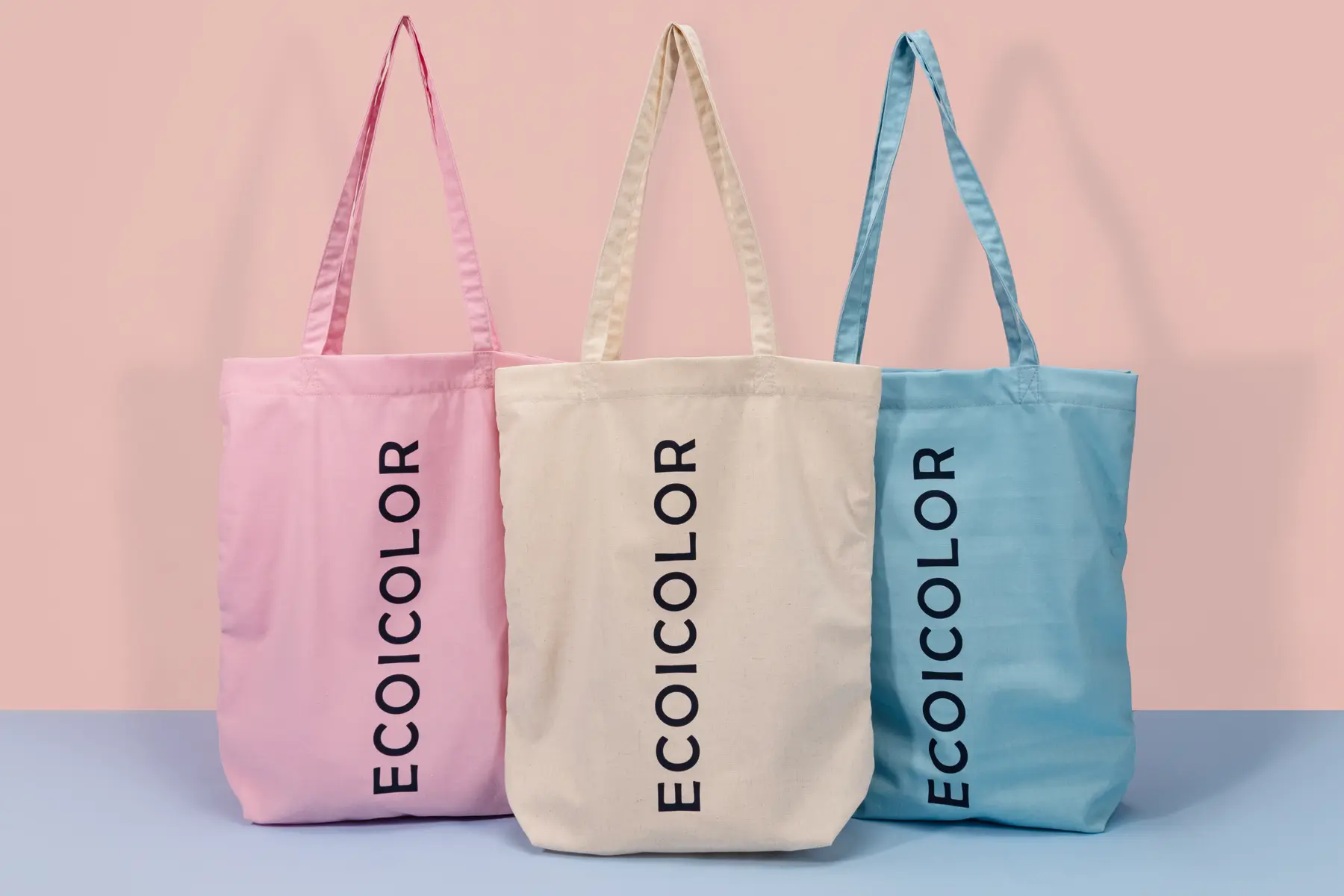
- Factory-side note: Ecoicolortote has GWP tote workflow experience rather than a named event sponsor tote case, so this route adapts gift campaign artwork control to event tote RFQs.
- What to prepare: sponsor list, final artwork files, version map, placement measurements, sample approval owner, packaging method, carton label rule and final delivery timeline.
Quick answer for sponsor logo version control
For MOQ 500+ event tote bags with sponsor artwork, buyers should lock final logo files, sponsor hierarchy, placement, print size, color reference, approval owner and quantity by version before sample work starts.
Event tote bags can look simple until sponsor artwork enters the brief. A buyer may have a main brand logo, campaign mark, sponsor lockup, QR code, co-host logo, staff version, VIP version or market-language version. If those files are sent in separate emails, the factory may not know which file is final, which file is old, or which logo has priority.
How is this different from conference tote and venue receiving topics?
This route is narrower than general event tote sourcing. The custom conference tote bags product page covers event tote materials, quantities and RFQ direction. The conference tote planning article covers sponsor pack-out, event delivery, address, dock contact and carton handoff. This route focuses on one earlier failure point: the logo version file that tells the factory which sponsor mark goes on which tote version.
If the buyer needs a full event tote program, start with the conference product page. If the buyer already knows the tote type but has several sponsor logos, approval owners or artwork versions, use this route before sample work starts.
Why sponsor logo version control matters before sampling
Sponsor version control prevents the factory from sampling or printing against an old logo, wrong sponsor hierarchy, wrong QR code or wrong market-language artwork.
Ecoicolortote has handled GWP tote workflows where logo files, gift pack contents, color references and approval owners must be aligned before sample release. That experience transfers to sponsor totes because the operational problem is the same: incomplete artwork control creates sample rework, quote delay, print confusion and approval pressure. The safest brief is one version map, not a pile of attachments.
What should a sponsor logo version map include?
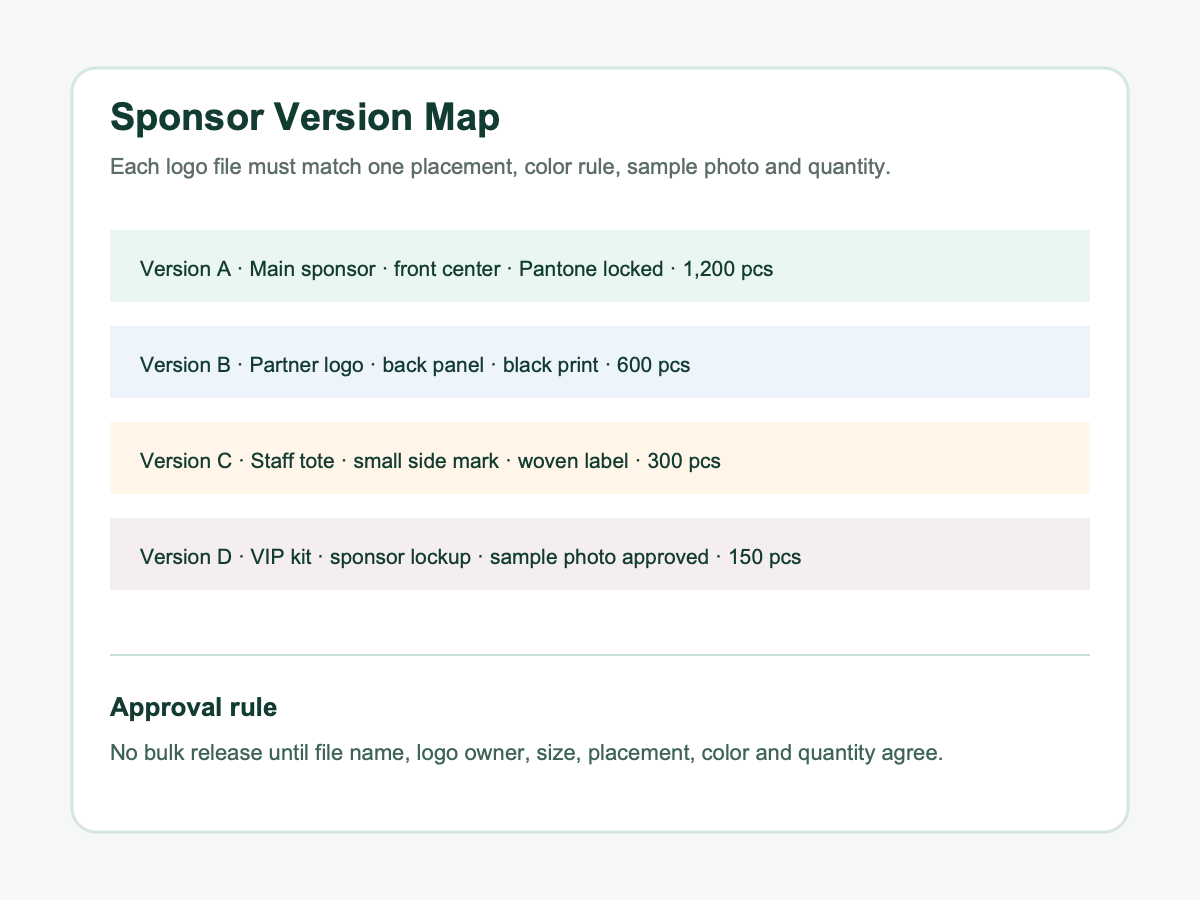
The version map should be the single source of truth for artwork, quantity split, placement, color rule, approval owner and sample photo.
| Version field | Why it matters | What to send |
|---|---|---|
| Final file name | Prevents old artwork from being printed | AI, PDF or EPS file name with date and version number |
| Sponsor role | Controls hierarchy and approval owner | Main sponsor, co-sponsor, partner, venue, staff or VIP mark |
| Placement rule | Prevents size and position disputes | Front center, back panel, side label, hangtag or sleeve location |
| Quantity by version | Helps factory print and pack the right split | Units per version, sample owner and carton mark name |
For color references, Pantone color systems help buyers and suppliers discuss print color consistently1. Pantone references do not replace sample approval, but they reduce avoidable disagreement when several sponsor marks need consistent reproduction.
Which logo files should buyers send?
Buyers should send final vector artwork whenever possible, usually AI, PDF, EPS or SVG depending on the logo process and supplier setup.
Raster logos can work for mockups, but they are risky for final screen printing, embroidery, heat transfer or woven label work when resolution, edges or scaling are unclear. Each sponsor file should be named clearly, such as SponsorA_front_120mm_final_2026-06-03.ai, instead of vague file names such as final-new-new2.pdf.
For artwork preparation, review logo file requirements for custom tote bags and logo placement on custom tote bags. If the print method is still undecided, compare screen printing vs embroidery for tote bags before sample release. Adobe Illustrator file metadata guidance shows why artwork files can carry useful production information2.
How should sponsor placement be approved?
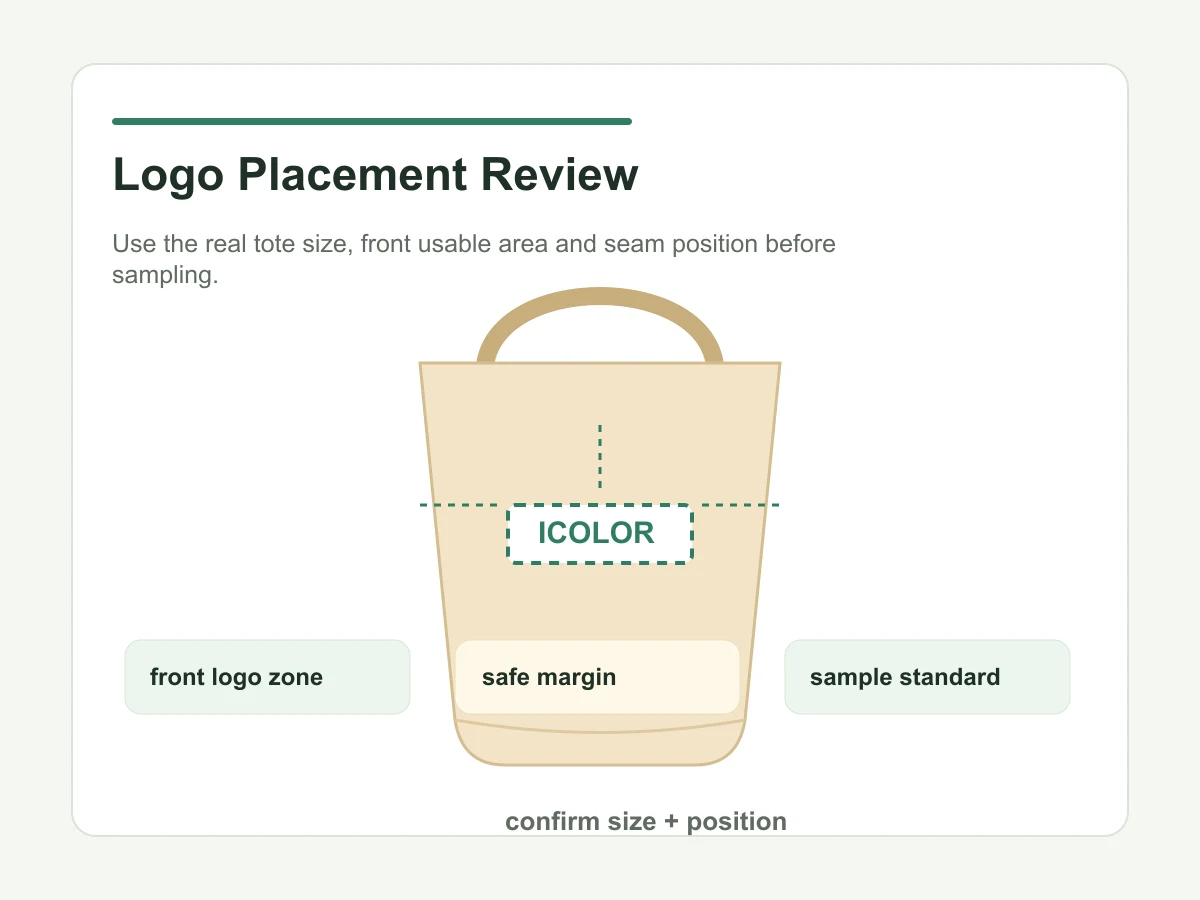
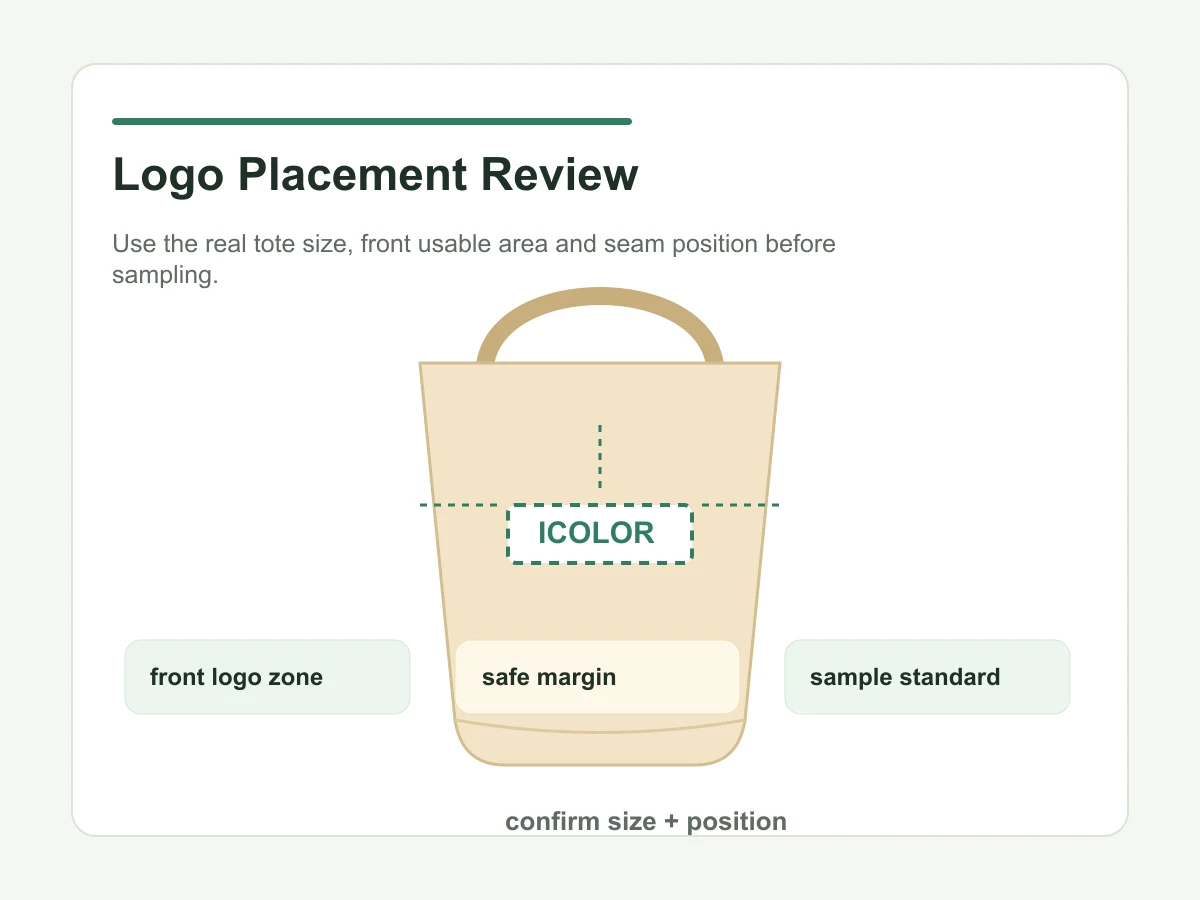
Placement should be approved with measurements, not only a visual comment, because fabric, handles, seams and pockets can affect final logo position.
A useful approval note includes print width, print height, distance from top edge, distance from side seam, handle clearance, pocket or gusset conflict, whether logo scale may be adjusted, and whether the sponsor hierarchy is fixed. If several sponsors appear together, the buyer should confirm which mark has priority and whether equal size is required.
Printing tolerances should also be discussed honestly. Fabric movement, seam shape, handle stitching and material texture can affect final appearance. For printed materials, ISO 12647-2 is often referenced in color-managed print production discussions3, but tote buyers should still approve the actual sample photo and physical sample where timing allows.
What should the sample approval file confirm?
The sample approval file should confirm material, color, logo size, logo position, print method, packaging method and the exact sponsor version shown in the sample photo.
If there are several versions, the buyer does not always need a physical sample for every quantity split, but the approved sample, digital mockup and version map must agree before bulk starts. Buyers can use custom tote bag sample evaluation as the approval checklist.
If inspection is required before shipment, ISO 2859-1 sampling procedures are commonly referenced for inspection discussions4, but the buyer still needs a practical tote-specific checklist for logo, material, stitching, packing and version accuracy.
How should late logo changes be handled?
Late logo changes need a written change-control step that states what changed, which old file is cancelled, and whether sample or print setup must be repeated.
The buyer should state what changed, which old file is cancelled, which new file replaces it, whether the sample must be remade, whether print setup has already started, and who accepts cost or timeline impact. Without this step, a supplier can receive a revised sponsor logo but still print against the earlier file attached to the approved sample.
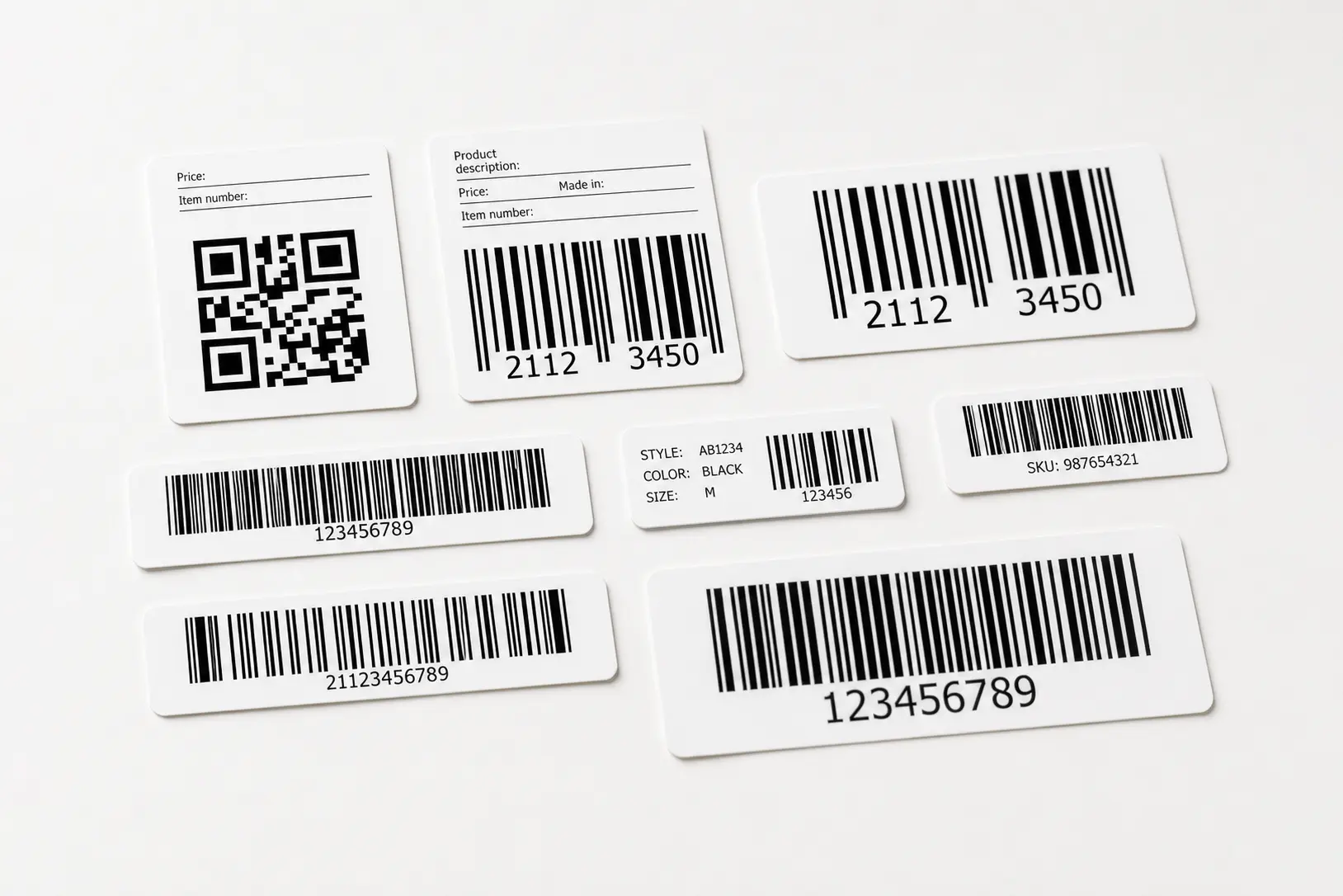
For orders with retail or post-event use, barcode and label files should be controlled the same way. GS1 barcode standards help frame barcode and identification discussions5. If a sponsor version also changes carton labels, hangtags or inserts, update the packaging file before final packing.
How should sponsor versions connect to carton labels?
Version control does not end after printing. Carton marks, packing lists, warehouse notes and sample approval files should use the same version names as the artwork map.
If one order includes main sponsor, partner, staff and VIP versions, each carton group should be labeled in the same language as the version map. Otherwise the right tote can be printed but packed into the wrong event group. For transport labels, GS1 logistic label guidance explains how logistics units can be identified during movement6. Event buyers do not need a complex logistics standard for every tote project, but carton-level version names should be clear enough for warehouse and event teams.
When should buyers lock sponsor logo files?
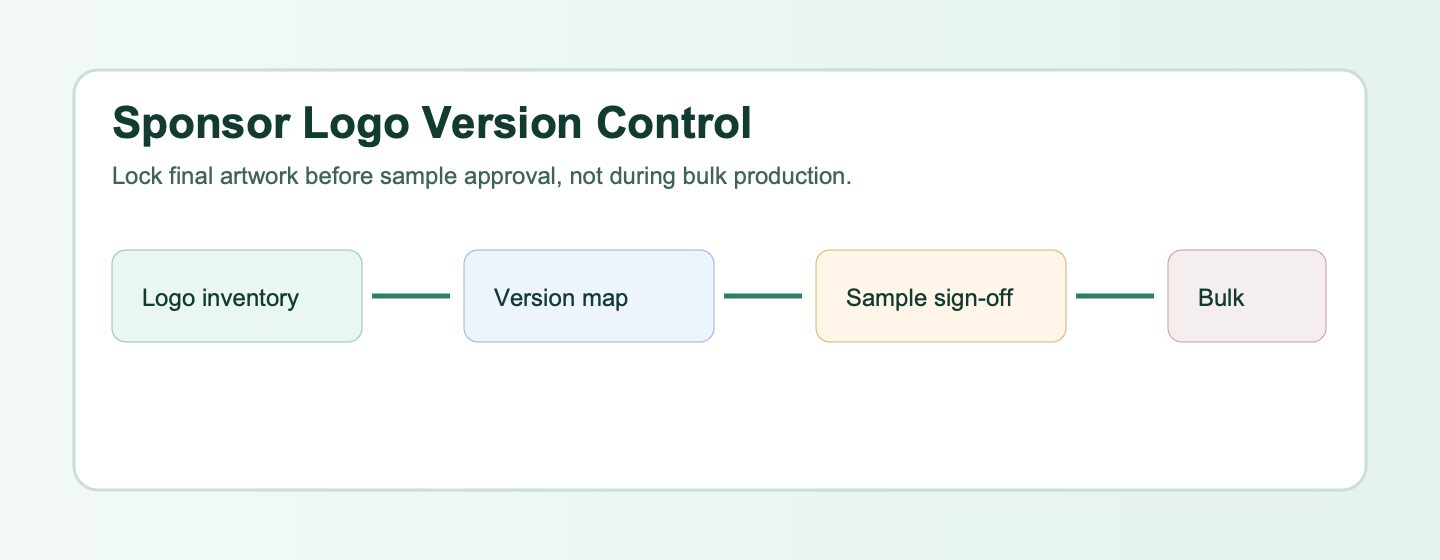
Send the first logo inventory during quotation, lock the version map before sampling, and freeze final artwork before bulk production.
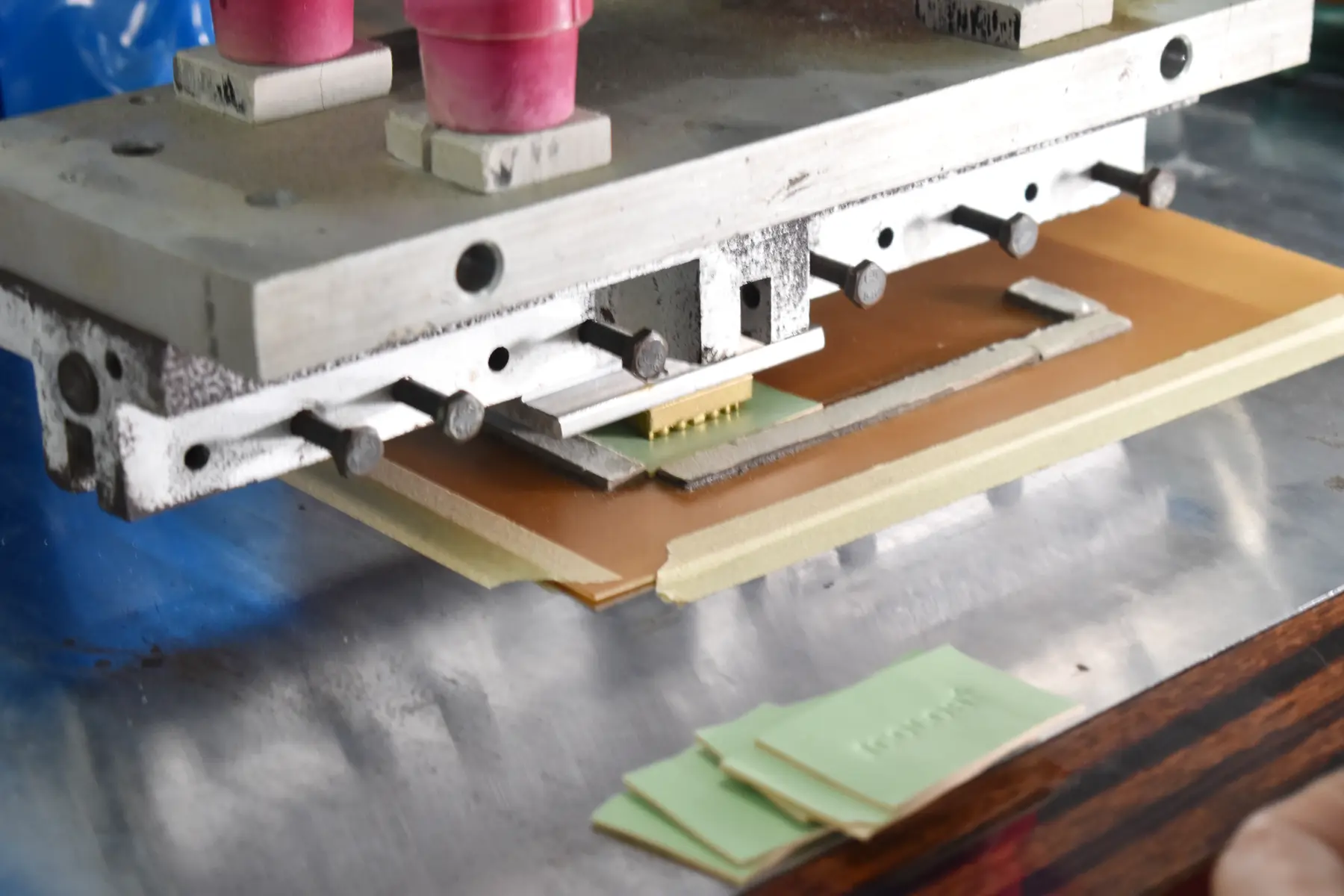
Sample timing is confirmed after the material, construction, logo method, artwork, packaging and approval scope are clear; the working schedule also depends on revision speed and current capacity. Bulk production timing is confirmed after sample approval, based on material availability, process complexity, quantity, packaging, delivery plan and current capacity. If sponsor files change after print setup, the buyer should expect schedule review and possible sample or setup cost changes. Standard sample fees can normally be credited or refunded against qualified bulk orders of 1,000 pieces or more, while special setup, molds, trim tooling, unusual packaging or repeated logo changes may not be refundable.
Best fit for this sponsor logo control route
This route is best for event managers, sponsor coordinators, brand activation teams, conference marketing teams, B2B campaign managers, agency producers, GWP buyers adapting tote workflows to events, and sales enablement teams ordering MOQ 500+ custom tote bags with more than one logo or approval owner. It fits projects with a named brand, launch date, sample-first workflow, sponsor hierarchy, version quantity split and final artwork owner.
Less suitable fit for this sponsor logo control route
This route is less suitable for blank stock tote requests, single-piece gifts, personal shopping bags, lowest-price-only inquiries, projects with no brand owner, urgent events with no sample time, or buyers who cannot confirm final artwork before production. It is also too narrow for orders where the main issue is customs documents, multi-country split shipment or venue receiving. Those projects need delivery planning first, then sponsor artwork control as one part of the file.
Sponsor artwork control note
Use one approved file register for sponsor name, artwork version, print position, color reference, carton label and destination. Any late logo change should trigger a new visual proof or sample review before bulk release.
What should buyers send before requesting a sponsor logo tote quote?
Send one RFQ file with quantity, delivery market, event date, tote size target, material preference, logo method, sponsor list, final vector files, version map, color references, print dimensions, placement measurements, approval owner, sample deadline, packaging method, carton label rule and any retail or barcode requirement. If the project also needs event handoff planning, combine this with the conference tote planning article.
For the base event product route, start with custom conference tote bags. For broader brand projects, review custom tote bags for brand campaigns. When the version map is ready, send it through the Ecoicolortote contact page.
FAQ: sponsor logo tote bags
What is sponsor logo version control for event tote bags?
Sponsor logo version control is the process of linking every sponsor artwork file to one approved tote version, placement, color rule, quantity and approval owner. It prevents the supplier from printing an old logo, wrong sponsor hierarchy, wrong QR code or wrong market-language artwork after sampling has already been approved by the buyer.
What files should buyers send for sponsor logo totes?
Buyers should send final vector files such as AI, PDF, EPS or SVG when possible, plus a version map showing file name, sponsor role, placement, print size, color reference and quantity. Raster images can support mockups, but they should not be the only production reference for detailed logo work or large printing.
Can GWP tote experience transfer to event sponsor totes?
Yes, the workflow can transfer when the issue is artwork, sample, pack-out and approval control. Ecoicolortote has GWP tote experience rather than a named event sponsor tote case, so buyers should treat the examples here as practical production planning guidance, not as a claim about a specific event customer case.
When should sponsor logos be locked?
The first logo inventory should be sent during quotation, the sponsor version map should be locked before sample work, and final artwork should be frozen before bulk production. If a sponsor changes its mark after sample approval, the buyer should confirm whether a new sample, revised setup or timeline adjustment is needed.
How can buyers avoid printing the wrong sponsor logo?
Use one shared version map, cancel old files clearly, name final files with date and version number, assign one artwork approval owner and require written confirmation before bulk release. The approved sample photo, mockup, packing list and carton labels should all use the same version names from the final map.
Are sample fees refundable for sponsor logo tote projects?
For qualified bulk orders of 1,000 pieces or more, standard sample fees can normally be credited or refunded against the order value. Buyers should confirm before sample work starts because special print setup, molds, trim tooling, hardware plates, unusual packaging or repeated sponsor artwork changes may not be refundable in every case.
How many sponsor logo versions can one tote order include?
There is no useful universal number because it depends on print method, quantity, fabric, placement, setup time and packing split. A practical order can include several versions when each has a clear file name, approved placement, quantity and carton label. Too many small versions can increase setup cost and production complexity.
Start your sponsor logo tote review
Send Ecoicolortote your quantity, event date, material direction, final logo files, sponsor version map, placement measurements, approval owner, packaging method, carton label rule and delivery timeline. The team can review whether the brief is ready for quote, sample and bulk production.